
n8n
Activen8n for workflow automation: AI agents, code flexibility, and self-hosted deployment.
At a glance
n8n is a workflow automation platform that combines a visual canvas with code. It is aimed mainly at technical teams that want to automate processes and build AI agents. If you are comparing workflow automation tools, n8n stands out for letting you write JavaScript or Python inside workflows and for deploying on your own infrastructure or on n8n's managed cloud. It lists more than 500 integrations, plus custom API connections for apps without a pre-built node. Its AI features include an AI Agent node, multi-agent setups, RAG systems, and MCP support. On its pricing page, n8n says it charges per full workflow execution, not per step or per user.
How it works
- Choose a deployment: Start on n8n Cloud, or self-host the Community Edition with Docker.
- Add a trigger: Start the workflow from a webhook, a queue, or a connected application.
- Add steps on the canvas: Use pre-built nodes, custom API requests, or code steps in JavaScript or Python.
- Add AI where needed: Connect a model, add an AI Agent node, give it tools, and use structured outputs or human approval to limit actions.
- Test with real or mock data: Re-run individual steps, replay data, inspect execution logs, and use evaluations to assess AI output quality.
- Run and monitor: Each complete run counts as one execution. Inspect executions and use plan-dependent insights, audit logs, or log streaming.
Features and capabilities
Visual and code-based building
- Build workflows on a visual canvas and inspect inputs and outputs beside each step.
- Write JavaScript or Python inside workflows.
- Send HTTP, GraphQL, and other custom API requests, including imported cURL commands.
- Start workflows from webhooks, queues, and connected applications.
AI agents and models
- Use AI Agent nodes and other AI workflow steps; n8n labels Agents as preview on its pricing page.
- Build multi-agent workflows and retrieval-augmented generation systems.
- Connect different models and switch between cloud or offline models.
- Use MCP Client and MCP Server Trigger nodes.
- Add human approval for tool calls, structured inputs and outputs, and guardrails.
Testing and debugging
- Re-run individual steps instead of the full workflow.
- Replay or mock data when testing external systems.
- Inspect executions, including prompts, responses, and subsequent actions.
- Use light evaluations; metric-based evaluation availability varies by plan.
Integrations
- Access more than 500 pre-built integrations.
- Use workflow templates across cloud plans.
- Install or build custom nodes in self-hosted environments.
Deployment, security, and governance
- Use n8n Cloud or deploy with Docker on-premises, including air-gapped environments.
- Business and higher tiers list SSO and LDAP, multiple environments, queue mode, and Git-based version control.
- Enterprise lists external secret store integration, log streaming, extended data retention, and dedicated support with an SLA.
- Feature availability depends on the selected plan; confirm details on the official pricing page.
Pricing checked October 16, 2026
- Starter: $20 per month billed annually for 2,500 executions per month.
- Pro: $50 per month billed annually for 10,000 executions per month.
- Business: $800 per month billed annually for 40,000 executions per month.
- Enterprise: custom pricing and execution allowance; contact sales.
- All listed plans include unlimited users, unlimited workflows, and every integration.
- A self-hosted Community Edition is available through the official GitHub repository.
- Pricing and feature details may change; confirm current terms on n8n's official pricing page.
Alternatives to consider
- Zapier: a common option for broad app integration and ease of use.
- Make: a visual workflow builder in the same automation category.
- Gumloop: an AI-first workflow builder for AI-centred automations.
- Lindy: an option for business-focused AI assistants and agents.
- Diaflow: a hosted option for multi-step AI workflows connected to business processes; suitability depends on deployment requirements.
Screenshots
See n8n in action
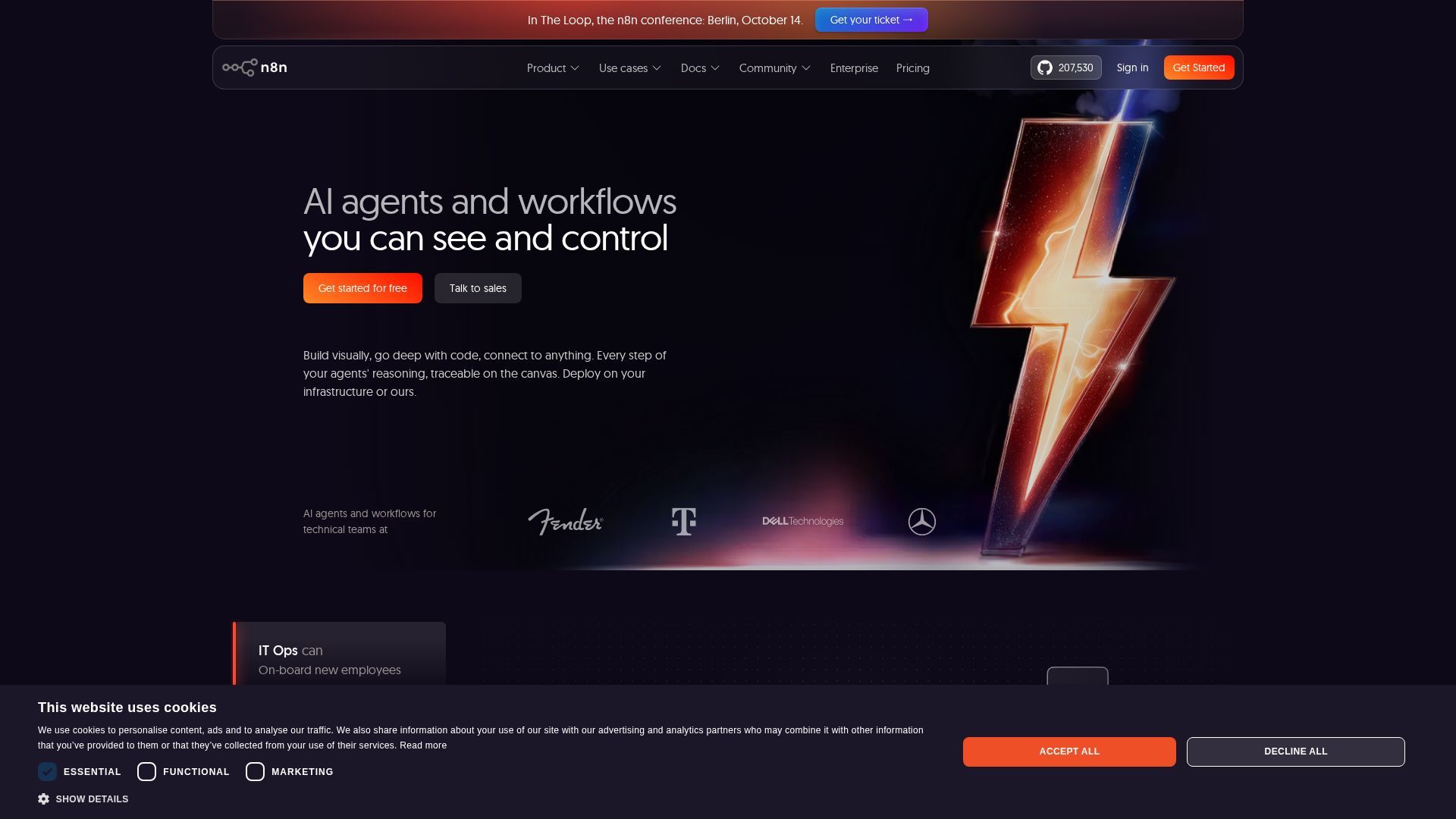
Screenshots are supplied by the agent's own listing.
Use cases
- Internal process automation for developers and DevOps teamsWho it's for: Technical teams that outgrow simple trigger-action tools. Practical value: Combine visual nodes with custom JavaScript or Python in one workflow instead of maintaining separate scripts for edge cases.
- Self-hosted automation for IT and security operationsWho it's for: IT and security teams with data-control requirements. Practical value: Run workflows on-premises or in air-gapped environments so operational data can remain within controlled infrastructure.
- AI agents with human oversightWho it's for: Product and AI engineering teams prototyping agents on internal data. Practical value: Use approvals for tool calls, structured outputs, and execution logs of prompts and responses to review agent behaviour.
- Routine automation for small teams and solo buildersWho it's for: Founders and small operations teams. Practical value: The Starter plan lists 2,500 executions per month, while steps within one workflow do not add to the execution count.
- Client workflow delivery for agencies and consultantsWho it's for: Freelancers, consultants, and automation agencies. Practical value: Build multiple client workflows with unlimited workflows and users listed across plans, plus self-hosting options. Confirm client-specific licensing terms directly with n8n.
Frequently asked questions
- Is n8n free?
- n8n offers a self-hosted Community Edition through its official GitHub repository. Its cloud plans start at $20 per month when billed annually, and the official pricing page lists a free trial without a credit card. Confirm current terms with n8n.
- Can you self-host n8n?
- Yes. n8n supports deployment on your own infrastructure, including Docker-based and air-gapped setups. A managed cloud version is also available.
- Can n8n build AI agents?
- Yes. n8n lists an AI Agent node, multi-agent and RAG workflows, MCP Client and MCP Server Trigger support, and human approval for tool calls. The pricing page labels Agents as preview.
- How does n8n charge for usage?
- n8n charges cloud usage by monthly workflow executions. One execution is a run of the complete workflow, regardless of how many steps it contains.